


CoPilot GPS Navigation
3.36.06K Reviews
App Specs
- Version
- 11.4.0.1906
- Updated On
- License
- Free
- Downloads
- 5,000,000+
- Developer
- Trimble MAPS Ltd.
- Categories
- Maps & Navigation
- Platform
- Android, iOS
Screenshots

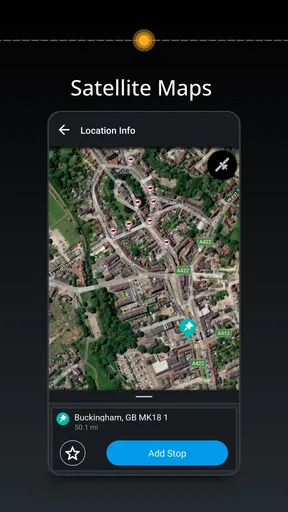
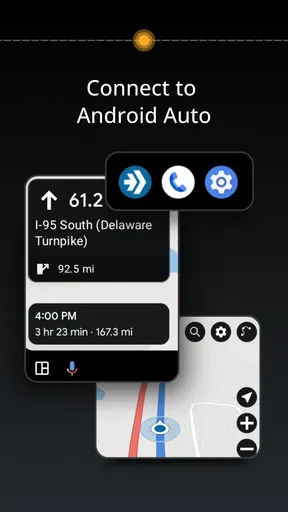
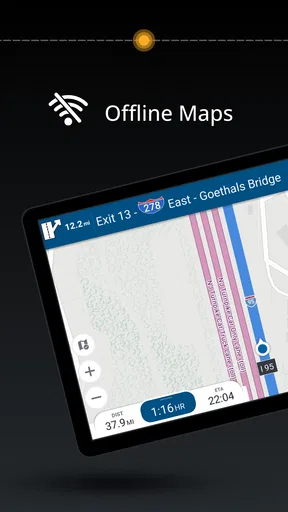
 Analysis by AppCompare
I tend to judge a navigation app by what happens before I pull away: can I enter a destination calmly, understand the route, and avoid fiddling with the screen once the car is moving? That practical routine is where CoPilot GPS Navigation makes its case. It is a maps-and-navigation app from Trimble MAPS Ltd., aimed at drivers who want to plan a route and keep guidance available even when mobile service is unreliable. I see it as a tool for people who prefer to make a few deliberate choices before setting off rather than rely on a phone to improvise every detail on the road.
A useful routine starts before the engine
My best advice is to treat route planning as part of getting ready, not as something to sort out at the first junction. Enter the destination while parked, check the proposed route, and make sure the map you need is available offline before heading into an area with weak reception. Offline maps are the app’s most meaningful practical advantage: once the relevant map is on the device, guidance does not have to wait for a live data connection. That can matter on a rural drive, in a parking structure, or during a trip where coverage changes from one stretch to the next.
I would still prepare with some care. A map stored on a phone is not a substitute for a charged device, and downloading it only after service has disappeared defeats the point. For a multi-stop day, I would also review the destinations and route choices while stationary, rather than assume I can make every adjustment safely on the move. This is a simple habit, but it turns offline support from a reassuring claim into something useful when the signal drops.
Settings that deserve a deliberate check
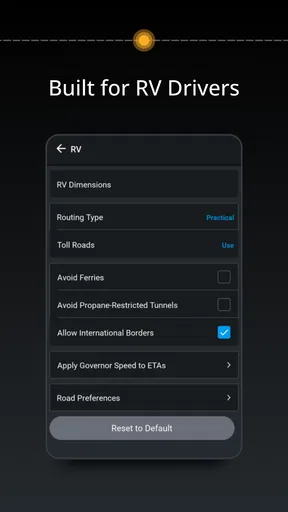
The route preferences are worth a look before a trip, especially if your priorities change. You can choose options such as avoiding toll roads or ferries, or favoring a faster route. Those choices are not merely cosmetic: a setting that suits a weekday commute may be a poor fit for a holiday drive, while avoiding a toll can add time or lead to a route you would not otherwise choose. I recommend checking the preference that matters for the particular journey instead of leaving an old choice in place by habit.
Map style and voice guidance are also personal decisions, but I would adjust them while parked and then leave them alone until it is safe to stop. Spoken directions are useful when traffic is busy because they let me keep my attention on the road; lane guidance can help make a complicated approach less stressful. The practical trade-off is that a voice prompt is only helpful if it is clear to you at the volume and pace you use. A quick test before departure is better than trying to decode an unfamiliar instruction at a junction.
Build a repeatable pattern for common trips
For destinations I visit regularly, saved places and favorites reduce the amount of typing I have to do each time. I would use them for a workplace, a family address, or a regular stop, then confirm the selected destination before starting navigation. That final check matters because a familiar name can still refer to the wrong place, and correcting it before leaving is easier than making a detour later. The app’s straightforward layout helps keep this routine manageable without making every trip feel like a fresh setup exercise.
On an unfamiliar drive, I find it helpful to think in stages: choose the destination, review the route preferences, listen to the first guidance prompt, and then follow the screen only when the road situation allows. If I miss a turn, quick recalculation can get the route back on track, but I would not deliberately depend on it as a planning strategy. Re-routing is a safety net, not a reason to make last-second lane changes or interact with the phone while driving.
Worth Reading Before You Choose

EA SPORTS FC Mobile 26 Is a Bigger Football Game, but It Takes Time

Flipboard Shows What News Apps Must Do Beyond the Feed

Switching to Android Auto Means Rethinking Your Driving Routine

Google Calendar Makes a Crowded Week Easier to Manage

Ludo King Makes the Most of the Minutes Between Plans

Baby Panda World Brings Quick Play to Modern Phones, but Its Game Library Feels Busy
Where it fits among navigation choices
Compared with the familiar phone maps many people already use, CoPilot GPS Navigation’s strongest distinction is the emphasis on downloaded maps and configurable route choices. If you mostly drive in well-covered urban areas and want live information with as little preparation as possible, a mainstream map app may fit your routine better. If you often travel beyond reliable service, or prefer deciding in advance whether tolls or ferries belong in a route, CoPilot has a more compelling role. I would choose based on the trip, rather than assume one navigator is best for every journey.
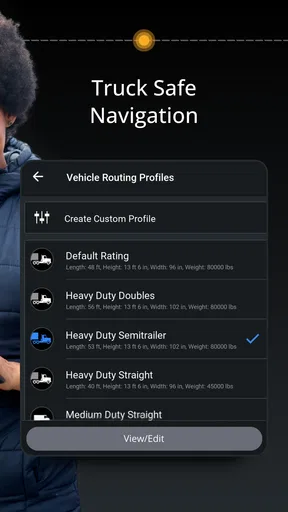
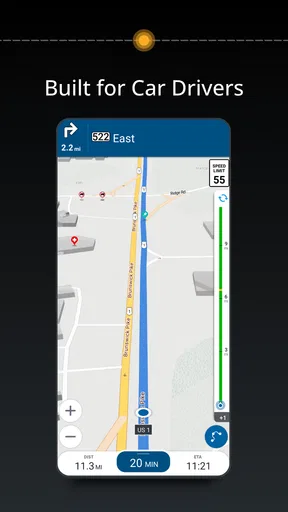
It is also presented for trucks, cars, and RVs, which makes it relevant to drivers whose vehicle type affects how they think about navigation. Still, I would not treat a broad vehicle focus as a guarantee that every route will suit a particular vehicle or trip. Drivers with strict height, weight, or road restrictions should verify the route against the requirements that apply to them before setting off. Navigation is useful guidance, but the driver remains responsible for checking that a road is appropriate.
What the everyday experience asks of you
The app is free to install, though it includes in-app purchases, so I would check what a desired option costs before committing to it. Its average rating is 3.0 from around 106,000 ratings, with roughly 6,000 written reviews, and it has over 5 million installs. Those figures suggest a widely tried app with mixed reactions, not a guarantee that every driver will have the same experience. It is rated for everyone, and the current version is 11.3.0.1882; it was released on May 2, 2012, and requires Android 7.0 or later.
That range of reactions makes sense for navigation software: expectations vary, map needs differ, and a feature that matters on a long rural drive may be irrelevant to someone who only crosses town. I would give it a fair test on a familiar route before relying on it for an important appointment. That lets you learn how its prompts sound, how its route choices feel, and whether its screen presentation suits your habits without adding pressure to an unfamiliar journey.
Who will get the most from it
I think CoPilot GPS Navigation is best for a driver who values offline preparation, wants control over route preferences, and is willing to spend a few minutes setting up a trip. It is especially appealing if your usual journeys include areas where reception is inconsistent, or if you alternate between routine destinations and longer drives that benefit from planning. A person who dislikes adjusting settings may find the preparation unnecessary, while someone who expects a navigation app to make every decision without checking may be better served by a simpler, more automatic option.
For an everyday example, imagine leaving early for an appointment outside town. Before departing, I would save the destination, check whether my route preferences still make sense, and download the map needed for the drive. Once underway, voice guidance and lane prompts can help me focus on traffic rather than repeatedly looking down. If a turn is missed, recalculation is useful, but I would wait for a safe opportunity to respond. That balance—prepare first, then let guidance assist rather than distract—is the most sensible way to use it.
Features That Stand Out
Right off the bat, what caught my eye was the app's ability to work offline. Yes, you read that right. You can download maps directly to your device and use them without needing a data connection. This is a lifesaver, especially when you're driving through areas with spotty cell service. I found this feature incredibly reliable – no more buffering or getting stuck at "loading" when you need directions the most.
Next up is the voice-guided navigation, which surprisingly feels quite human-like. You can choose from a variety of voices, and they all do a pretty good job of directing you without sounding too robotic. I appreciated the clear instructions, especially when navigating tricky intersections or roundabouts. The app even offers lane guidance, which is super helpful in busy city traffic.
Customization and User Experience
One of the things I love about CoPilot GPS Navigation is how customizable it is. You can tweak the app to your heart's content, from choosing different map styles to setting your preferred routing options. Whether you want to avoid toll roads, ferries, or prefer the fastest route, the app has got you covered.
The interface is clean and intuitive, making it easy for anyone to use. I didn’t have to spend hours figuring out how to get from point A to point B. Everything is laid out in a straightforward manner, and I could easily access my saved places and favorite destinations.
Performance and Reliability
In terms of performance, the app runs smoothly without any noticeable lags. It recalculates routes quickly if you take a wrong turn, which, let’s be honest, happens more often than we'd like to admit. The search function works well too, accurately finding addresses or points of interest without much hassle.
One thing I noticed was the app’s ability to integrate with your schedule. It can sync with your calendar to provide real-time traffic updates and estimated arrival times. This feature is a game-changer if you're someone who likes to stay organized and on schedule.
Added Perks
Now, let's talk about some of the added perks. The app includes a useful feature called "ActiveTraffic," which provides real-time traffic information. It helps you avoid traffic jams and find alternative routes, saving you time and frustration.
Another bonus is the walking mode, which is perfect for exploring new cities on foot. It provides detailed pedestrian maps, so you never have to worry about getting lost while wandering around.
For those who enjoy a good road trip playlist, the app’s integration with music apps like Spotify is a nice touch. This means you can keep your favorite tunes playing in the background while receiving navigation prompts.
Final Thoughts
All in all, CoPilot GPS Navigation is a solid choice for anyone looking for a reliable navigation app. Its offline capabilities, customization options, and clear navigation make it stand out in a crowded market. Whether you're driving through bustling city streets or exploring remote countryside roads, this app has got your back.
If you’re ready to take the plunge and give it a try, you can easily download it from the App Store or Google Play. Happy travels, and may you never get lost again!
Pros
- Offline maps save data usage.
- Intuitive interface for easy navigation.
- Frequent updates improve accuracy.
- Customizable routes enhance flexibility.
- Real-time traffic alerts are helpful.
Cons
- Some features require a subscription.
- Large app size may affect storage.
- Initial setup can be time-consuming.
- Limited voice options for directions.
- Occasional map inaccuracies reported.
FAQs for CoPilot GPS Navigation
What are the main features of CoPilot GPS Navigation?
CoPilot GPS Navigation offers offline maps, turn-by-turn navigation, and real-time traffic updates. It provides voice-guided directions, alternative routes, and points of interest along your journey. The app also includes lane indicator arrows, speed limit alerts, and route optimization, making it a comprehensive choice for drivers.
How does CoPilot GPS Navigation perform offline?
CoPilot GPS Navigation excels in offline mode by allowing users to download maps for entire regions or countries. This feature is particularly useful for travelers without reliable internet access. The app maintains full navigation capabilities offline, including location search and route planning, ensuring uninterrupted guidance.
Is CoPilot GPS Navigation user-friendly for beginners?
Yes, CoPilot GPS Navigation is designed with a user-friendly interface, making it accessible for beginners. The app offers easy-to-follow instructions, customizable settings, and a straightforward layout. Users can easily input destinations, adjust preferences, and explore features without a steep learning curve.
Does CoPilot GPS Navigation offer real-time updates?
CoPilot GPS Navigation provides real-time traffic updates to help users avoid congestion and delays. While the app functions offline, enabling an internet connection enhances its capability to offer live traffic data, ensuring users are informed of current road conditions and can adjust routes accordingly.
Are there any subscription fees for CoPilot GPS Navigation?
CoPilot GPS Navigation offers a free trial period, after which users may need to purchase a subscription for premium features. These include real-time traffic information, advanced route planning, and additional map regions. The app provides various subscription plans to suit different user needs and budgets.


